
Overview
EasyRec saves time for ServiceCart™ Premium Video MPI users.
- Technicians use EasyRec prewritten service recommendations to save time typing.
- Advisors save time because they no longer have to proofread, edit, and codify the recommendation for reporting.
- Standardized recommendation descriptions, that you can customize for your store, accelerate the service manager’s estimation process.
Features
- Global Settings - Administrators can type or import up to 350 prewritten responses for common service recommendations.
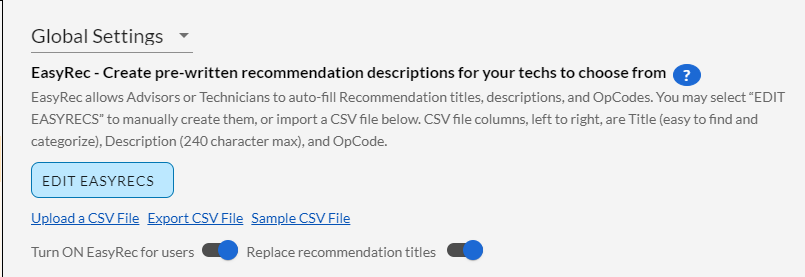
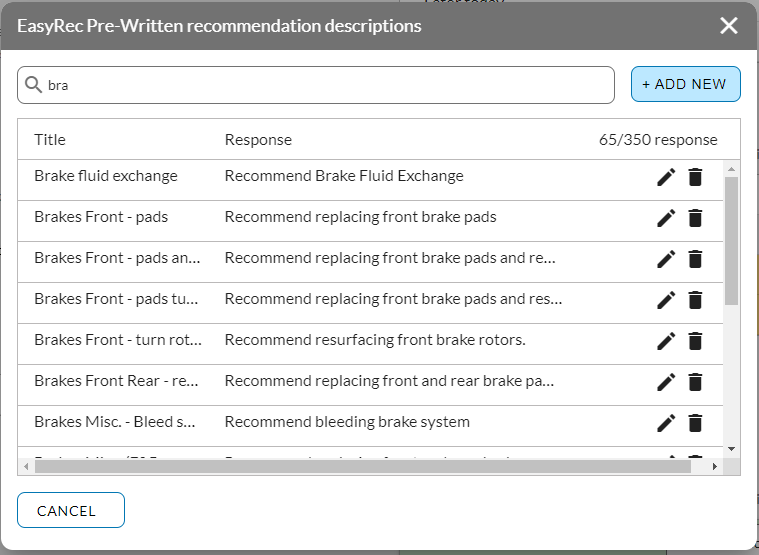
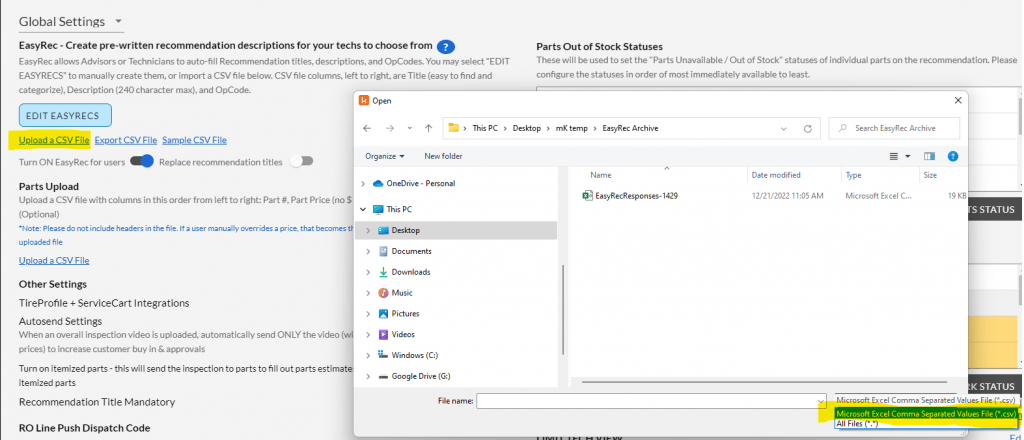
- Edit and Modify - Develop your own category titles and descriptions with up to 350 characters each. Managers may draft and delegate the list of answers to each question, or import them via CSV upload. Sharing an EasyRec list with a sister store is made possible via the CSV export feature as well.
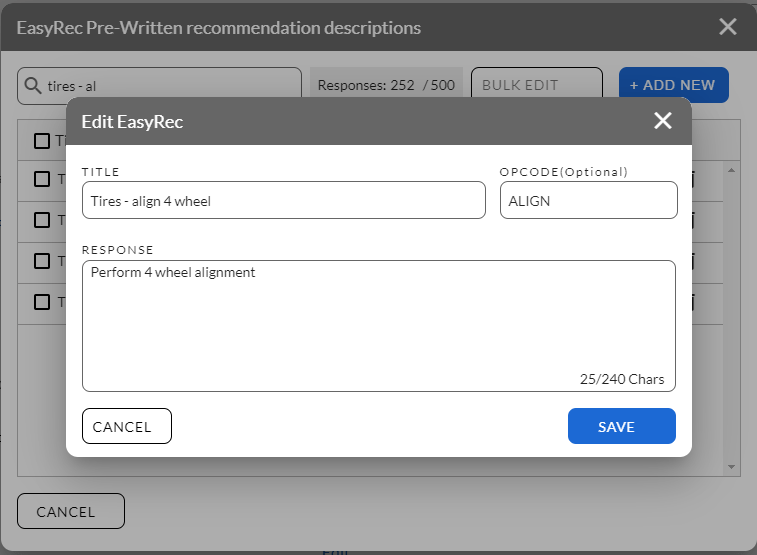
- Added Customization - Allow your Technicians to start with prewritten formats and modify them when circumstances require a deviation from the prewritten option. Technicians will no longer need to type out the same full recommendations over and over again. EasyRec will standardize the recommendation language and simplify the process.
- Formatted Responses On The Fly - As Technicians work through a ServiceCart™ inspection, EasyRec detects recommendation options as the Technician begins to type. Eliminate spelling and grammar issues, save the technician critical time typing, and accurately convey recommendations to your service customers.
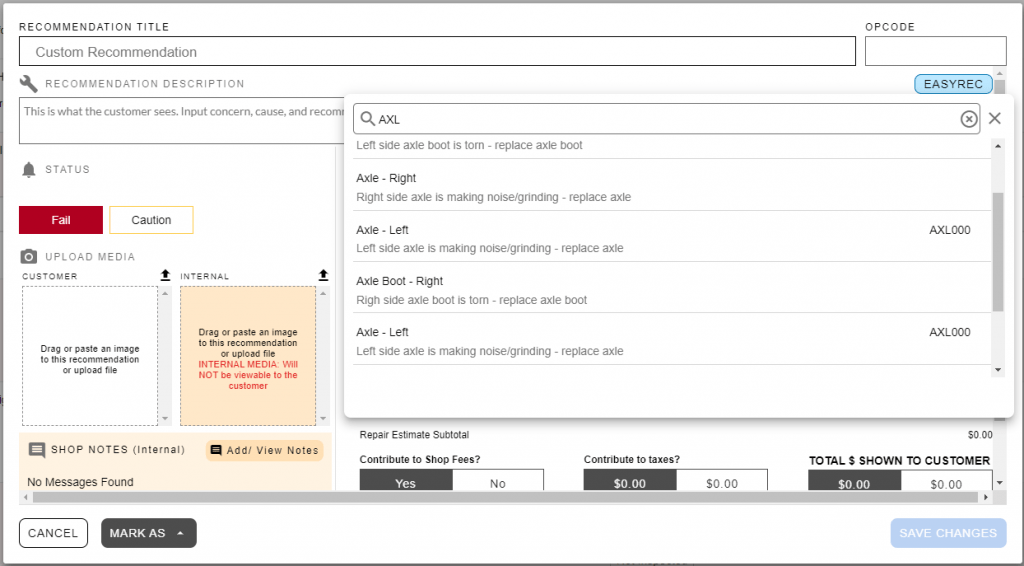
- Upload Your Own OpCodes - EasyRec lets you upload your own OpCodes, along with auto-populating the Title and Descriptions, administrators can associate an OpCode with an EasyRec response.
Comments
0 comments
Please sign in to leave a comment.