
Overview
Introducing a new way to allow customers to opt-in and opt-out using myKaarma texting!
Also, capture customer INTENT, not just keywords! Don’t miss an opt-out because the customer didn’t follow instructions and send the proper opt-out KEYWORD.
Features
Compliant Opt-Out in myKaarma
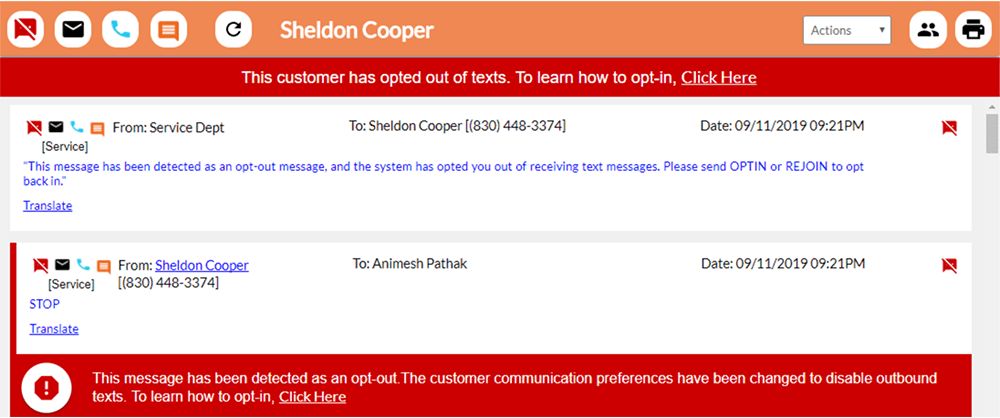
- Customers may opt-out of texts by sending any common opt-out phrase: STOP, DO NOT TEXT, STOP TEXTING, etc. to the myKaarma number.
- In myKaarma: A red box will appear around the customer’s thread, indicating they have opted out of texting, and cannot be reached via text.
- Customers will get an automated opt-out confirmation message that includes instructions rejoin or opt-in: “This message has been detected as an opt-out message, and the system has opted you out of receiving text messages. Please send REJOIN or OPTIN to opt back in.”
- If the customer attempts to text myKaarma, they will get another auto-response with instructions to opt-in: “You are currently opted out of receiving texts. Please send OPTIN or REJOIN to opt back in.” NOTE: These messages will appear in the customer thread in myKaarma, even without opting back in.
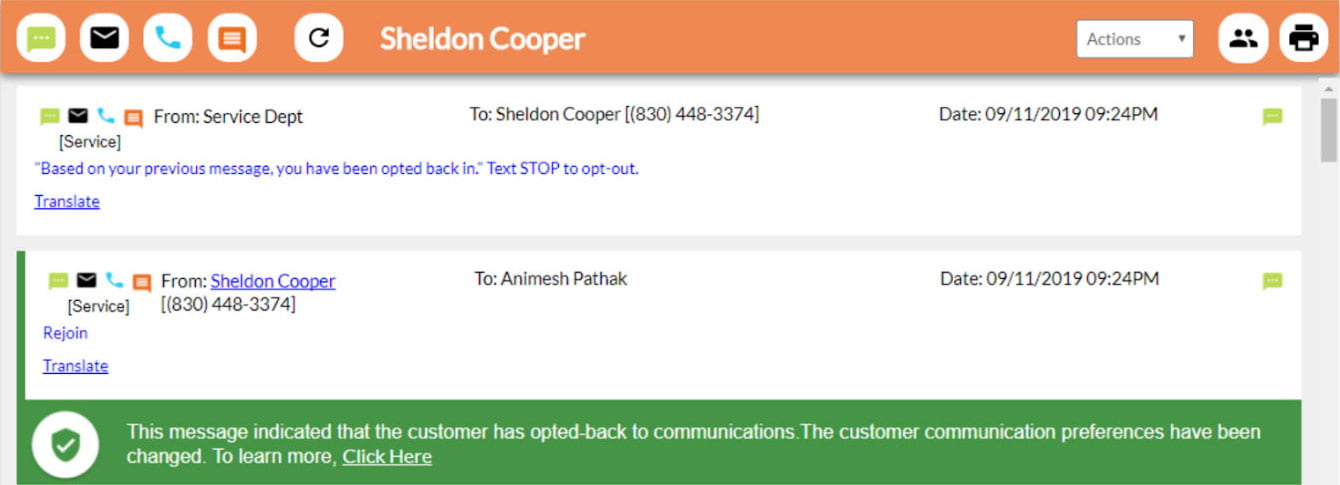
- After sending “REJOIN” or “OPTIN” to the dealership myKaarma number, the customer will receive an automated confirmation message: “Based on your previous message, you have opted back in.”
- In myKaarma: The customer thread will now receive a GREEN frame indicating that this customer has opted back into texting.
Opt-Out Intent Captured by myKaarma AI for Texting
- If a customer does NOT text the simple KEYword required to opt-out, myKaarma’s AI will scan the intent and identify those that do NOT want to be texted.
- The AI reads the intent of the message, protecting your organization from the risk of “questionable” Opt-Out requests.
- If a customer texts something like “Don’t text me anymore” instead of “STOP” it will automatically be captured as an Opt-Out message.
- Why this is critical? The TCPA and FCC are starting to look at intent and myKaarma wants to protect you at the highest level possible by using our industry-leading AI technology.
What does it look like?
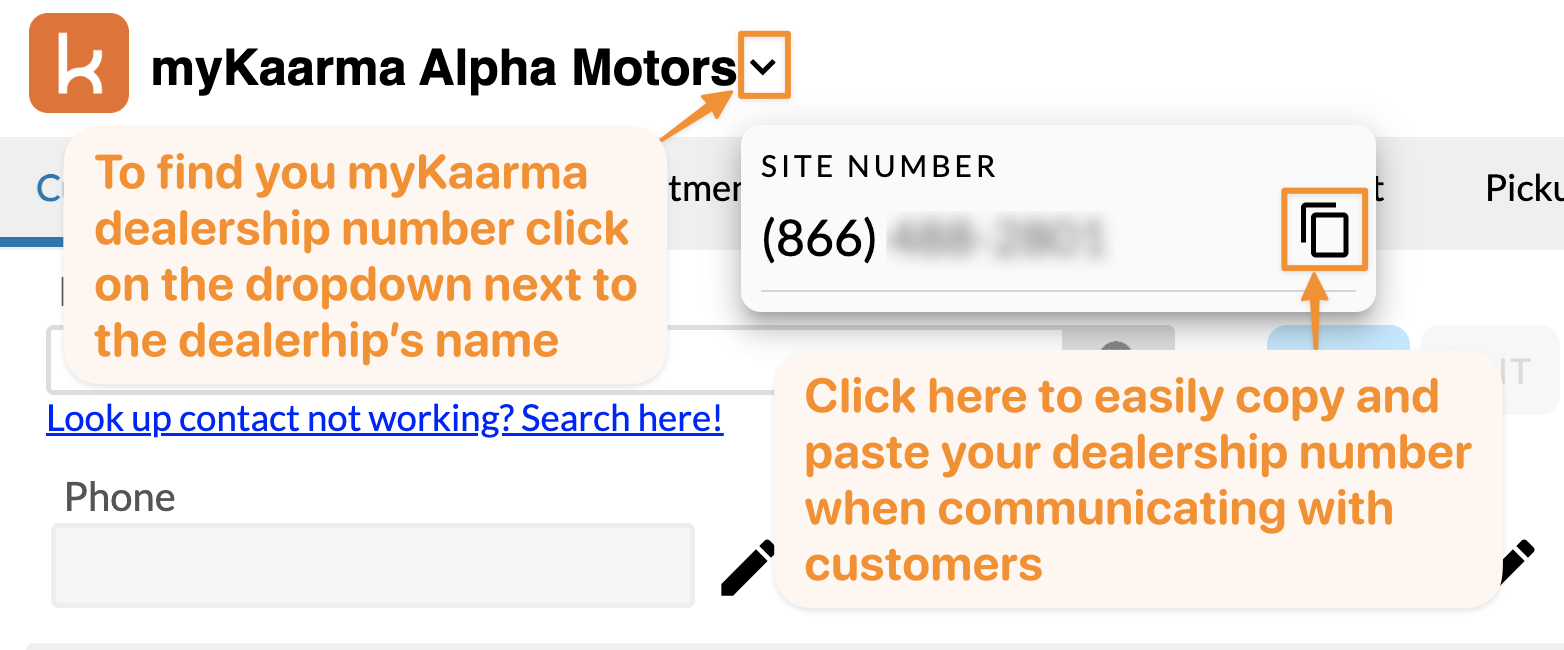
Finding Your myKaarma Phone Number
Example of a customer opting out
Example of a customer opting back in
Comments
0 comments
Please sign in to leave a comment.