
| OVERVIEW | WHO WILL FIND THIS USEFUL? |
| Inviting New Users to myKaarma in Self-Admin | Managers, Administrators, IT |
| DEPARTMENTS | CATEGORY |
| All Dealership Departments Using myKaarma | Self-Administration |
Click Here To Skip to Write-Up
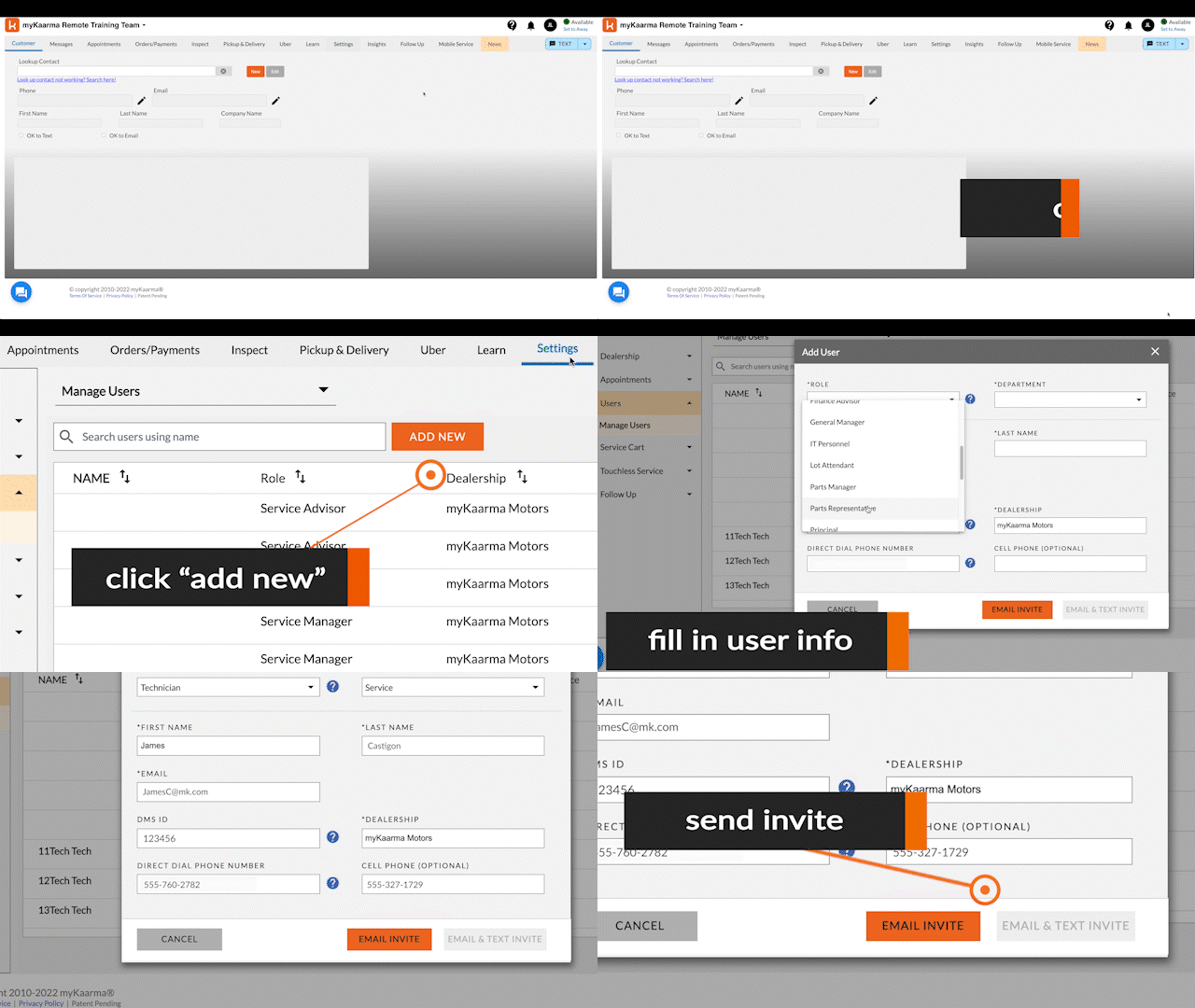
Steps to Inviting a User to myKaarma
HOW-TO STEPS
Before you attempt to add a user, you must ensure you have access to Manager or Administrator rights within myKaarma.
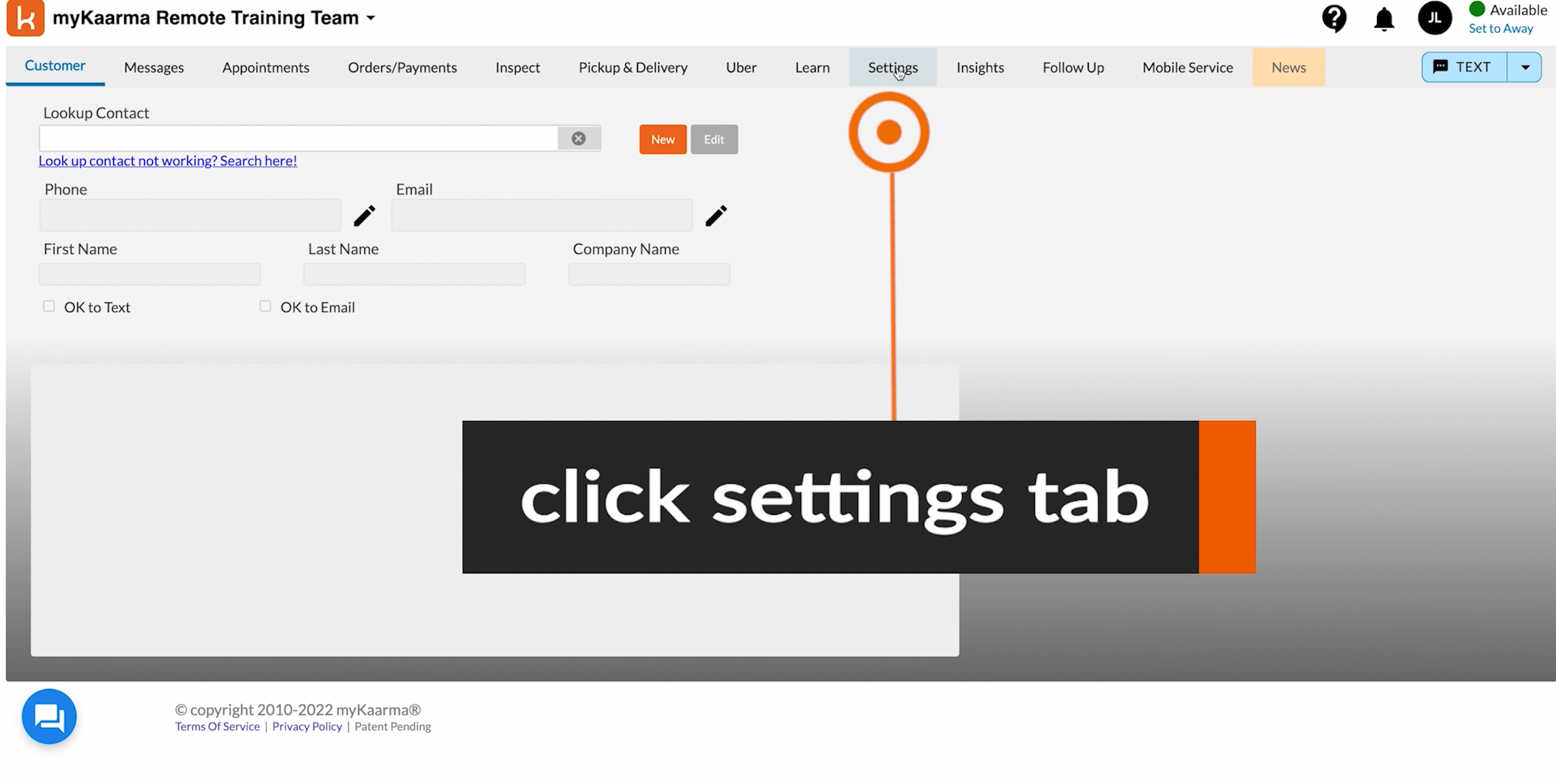
- Click on the "Settings" tab.
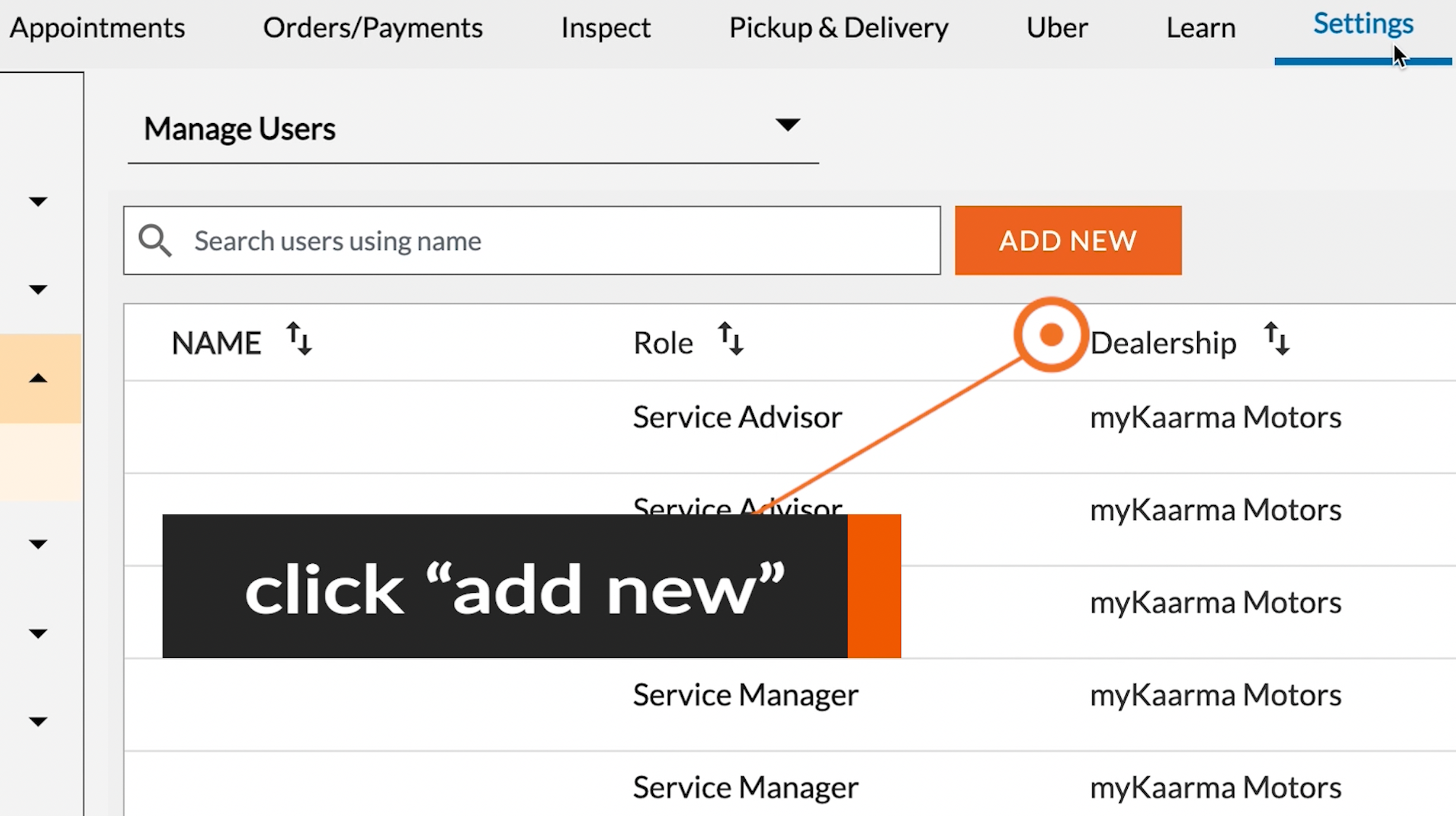
- Click on the "Add New" button.
- Fill in the user's details. Please Note: An active email address and DMS ID are required for every user.
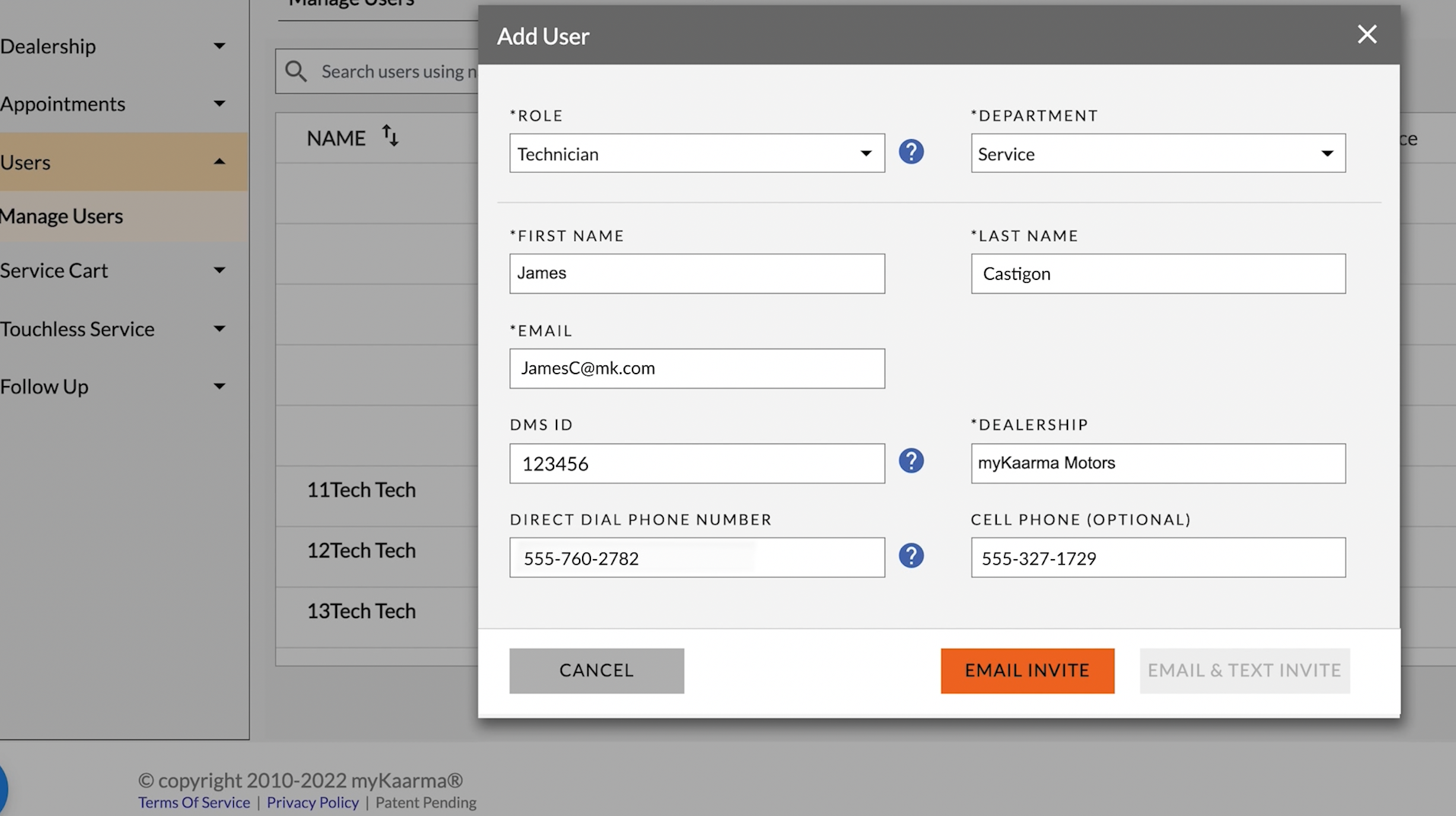
- When Completed click "Email Invite" or "Email & Text Invite."
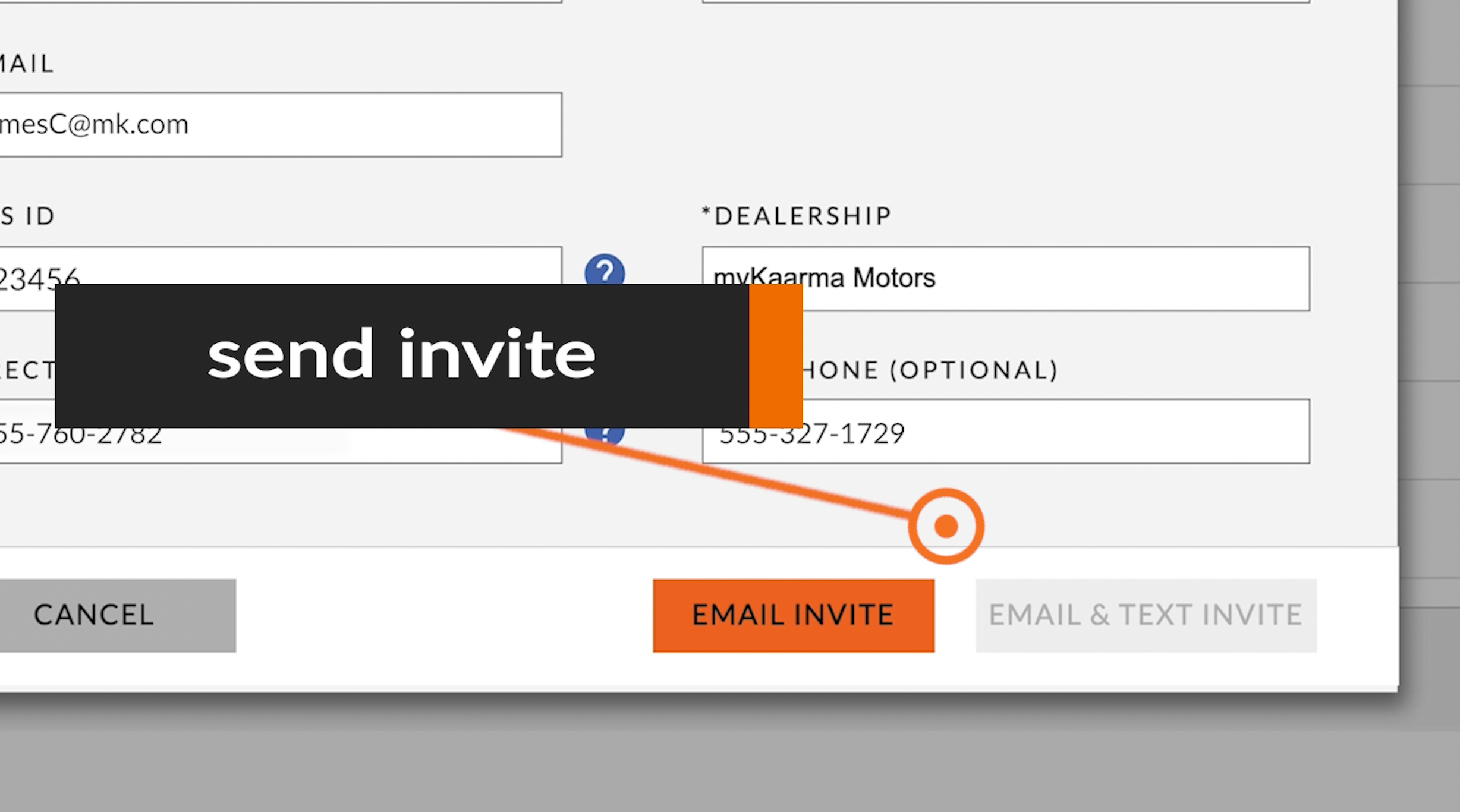
The New users will receive an email to the address in their profile. Clicking on the link in the invite email will activate their account and start them with basic program training.

________________________
If you have any questions or need further assistance, please contact myKaarma Support:
Comments
1 comment
Thank you!!
Robert F Sisk
Sanderosn Ford
Please sign in to leave a comment.